


Black Friday and Cyber Monday create significant revenue opportunities for eCommerce businesses, but they also expose weaknesses in the technology behind an online store. When traffic increases, customers expect fast-loading pages, accurate product information, reliable checkout and a seamless shopping experience across devices.
For businesses preparing for BFCM 2026, the challenge is not simply attracting more visitors. It is ensuring that the existing eCommerce platform can convert demand into completed purchases without introducing unnecessary technical or operational risks.
Shopify merchants generated a record $14.6 billion in sales during BFCM 2025, representing 27% year-over-year growth. More than 81 million consumers worldwide purchased from Shopify-powered businesses during the event. These figures demonstrate the commercial scale of the opportunity, while reinforcing the importance of a reliable commerce experience.
If your current website is slow, difficult to manage or unable to support your growth plans, you may be considering a major improvement before the next sales season.
But should you rebuild your existing Shopify store or migrate your eCommerce business to Shopify?
Although both approaches can improve the customer experience, they address different technical problems and involve different levels of complexity, investment and risk.
The right decision depends on your current platform, business requirements, technical limitations and available implementation time. This guide explains how to evaluate both options and prioritize the improvements that can make your Shopify store more effective before BFCM 2026.

Rebuild vs. Migrate to Shopify: What Is the Difference?
Before choosing a development approach, businesses need to understand the difference between a Shopify store rebuild and an eCommerce platform migration.
A rebuild improves an existing Shopify store while retaining the platform. A migration moves an existing eCommerce business from another platform to Shopify, including the data, functionality and integrations required to operate the new store.
The distinction is important because a new storefront design cannot resolve every platform limitation, while migrating to a new platform does not automatically improve the customer experience.
What Is a Shopify Store Rebuild?
A Shopify store rebuild involves redesigning, restructuring or redeveloping an existing storefront without changing its underlying eCommerce platform.
The objective is to improve the store’s usability, performance, functionality and ability to support business growth.
Depending on the current implementation, a rebuild may involve:
- Redesigning the storefront and updating the Shopify theme.
- Improving mobile responsiveness and navigation.
- Restructuring product pages and collection layouts.
- Optimizing search, filtering and product discovery.
- Reviewing cart and checkout experiences.
- Removing unnecessary third-party applications and scripts.
- Improving integrations with payment, inventory, CRM and other business systems.
- Updating technical SEO elements and site architecture.
A rebuild is particularly relevant when a business is already using Shopify but its current implementation no longer meets customer expectations or operational requirements.
For example, a retailer may have a functioning Shopify store but rely on an outdated theme, excessive app installations and inconsistent product-page layouts. In this situation, the business may not need a different platform. It may need a more effective storefront architecture and a cleaner technical implementation.
Businesses can address these requirements through Shopify development services, which can cover custom functionality, theme development and improvements to an existing Shopify experience.
What Is a Shopify Migration?
A Shopify migration involves moving an existing eCommerce business from another platform to Shopify.
Common migration scenarios include moving from Magento, WooCommerce, BigCommerce or a custom-built eCommerce system.
Unlike a storefront redesign, a migration affects the underlying commerce environment. Businesses need to consider how existing data, customer information, integrations and business processes will operate on the new platform.
A typical Shopify migration may involve:
- Product and product variant migration.
- Customer data and account migration.
- Historical order migration, where required and supported.
- Collection, category and content restructuring.
- URL mapping and 301 redirects.
- SEO metadata and structured data considerations.
- Payment and shipping configuration.
- ERP, CRM, PIM, WMS and other system integrations.
- Theme development and storefront customization.
- Functional, performance and data validation.
The complexity depends on the source platform, catalogue size, data quality, integration requirements and existing business logic.
For a retailer with a relatively simple catalogue, migration may be manageable. For a business operating thousands of product variants, multiple markets, customer-specific pricing and ERP integrations, the project requires considerably more planning.
A structured Shopify migration service should therefore consider more than data transfer. It should account for storefront functionality, system integrations, SEO preservation and business continuity.
For merchants currently constrained by WordPress database limitations and plugin conflicts, a structured WooCommerce to Shopify migration can provide a more suitable commerce foundation, with checkout capabilities and scalability aligned with their peak-season requirements.
The key distinction is straightforward: a rebuild improves the existing Shopify environment, while a migration changes the platform and requires businesses to transfer and validate the systems that support their commerce operations.ions.
When Should You Rebuild Your Existing Shopify Store?
A rebuild is often the more practical option when the existing Shopify platform can support your business requirements, but the current implementation limits performance or customer experience.
Rather than replacing the platform, businesses can focus on improving the parts of the store that directly affect the shopping journey.
1. Your Existing Theme No Longer Supports Your Business
As businesses grow, their storefront requirements often become more sophisticated.
An older theme may limit the ability to create flexible product layouts, introduce new merchandising features or deliver a consistent experience across desktop and mobile.
Common signs include inconsistent page structures, difficult navigation, limited product presentation options and excessive custom code added over time.
A rebuild provides an opportunity to review the theme architecture, simplify the storefront and create reusable components that support future updates.
However, replacing a theme does not automatically improve performance. A heavily customized new theme can introduce the same problems as the old one.
The development approach should consider usability, maintainability and performance together. This is where Shopify theme development can help businesses create or customize storefront experiences around their brand, customer journey and technical requirements.
ECOMMERCE GROWTH
Holiday Predictions: eCommerce Trends That Will Define Success This Season
Consumers are researching products more carefully, comparing value across retailers, and using AI tools to support shopping decisions. Meanwhile, businesses must manage higher transaction volumes, customer expectations, fulfilment constraints, and the cost of acquiring new customers.
2. Your Website Has Performance Problems
Website speed becomes particularly important during BFCM, when promotional campaigns can generate significant traffic across landing pages, product pages and checkout.
Slow-loading pages can interrupt product discovery and make the shopping experience less responsive.
Common performance issues include oversized images, unnecessary JavaScript, excessive third-party scripts and inefficient theme customizations.
Businesses should assess the three Core Web Vitals metrics:
- Largest Contentful Paint (LCP): Measures how quickly the largest visible content element appears. A good result is 2.5 seconds or less.
- Interaction to Next Paint (INP): Measures responsiveness to user interactions. A good result is 200 milliseconds or less.
- Cumulative Layout Shift (CLS): Measures unexpected layout movement. A good result is 0.1 or less.
Google recommends meeting these thresholds for at least 75% of page visits, assessed separately for mobile and desktop.
If your existing store performs poorly because of unnecessary theme code, oversized assets or excessive app scripts, targeted Shopify store optimization may address the underlying issues without requiring a platform migration.
3. Your Storefront Creates Unnecessary Purchase Friction
A website can contain all the necessary features and still struggle to convert visitors.
Customers may have difficulty finding relevant products, understanding product variations, comparing options or completing checkout.
A rebuild allows businesses to reassess the shopping journey from the customer’s perspective.
Priority areas may include clearer navigation, better product filtering, more informative product pages, visible delivery information, mobile-friendly layouts and a more streamlined cart experience.
These improvements should be based on actual customer behavior and website analytics rather than visual preferences alone.
A new design is not necessarily a better design. The objective is to remove friction that prevents customers from making purchasing decisions.
4. Your Shopify Store Has Accumulated Technical Debt
As a store evolves, new applications, custom scripts and theme modifications are often introduced to support additional requirements.
Over time, these changes can create technical debt.
For example, two applications may perform overlapping functions, outdated scripts may remain after an app is removed, or custom code may become difficult to maintain.
A rebuild provides an opportunity to audit the existing implementation, identify unnecessary dependencies and establish a cleaner technical foundation.
However, businesses should distinguish between problems caused by the storefront implementation and limitations of the Shopify platform itself. A rebuild will not automatically resolve every integration or operational constraint.

When Should You Migrate Your eCommerce Store to Shopify?
Migration becomes more relevant when the existing eCommerce platform is no longer suitable for the business’s technical or commercial requirements.
In this situation, improving the storefront alone may not address the underlying limitations.
1. Your Current Platform Limits Business Growth
A business may outgrow its existing platform as its product catalogue, transaction volume, customer base and operational complexity increase.
For example, a retailer may need more flexible merchandising, better integrations, multi-market capabilities or a different approach to managing its digital commerce operations.
If the current platform makes these requirements increasingly expensive or difficult to implement, migrating to Shopify may offer a more suitable long-term foundation.
The decision should be based on specific business requirements, not simply the popularity of another platform.
2. Your Current Technology Creates Operational Complexity
An eCommerce platform does more than display products and process orders. It also connects with the systems responsible for inventory, fulfilment, customer data, marketing and financial operations.
If the current environment requires extensive custom development to maintain these workflows, the total cost of ownership may become difficult to justify.
Migration to Shopify can be considered when the business expects a better fit between its operational needs and Shopify’s commerce capabilities.
However, Shopify does not automatically replace every system in the existing technology stack. ERP, CRM, PIM, WMS and other integrations may still be necessary.
Before migration, businesses should define which system owns each type of data, how information moves between systems and how synchronization errors are handled.
For businesses with complex workflows, Shopify integration services can help connect the commerce platform with ERP, CRM and other operational systems.
3. Your Business Needs a More Scalable Commerce Architecture
As an eCommerce business expands into new markets or sales channels, its technology architecture needs to support more complex requirements.
These may include multi-market operations, B2B and B2C commerce, multiple fulfilment locations, marketplace connections and more sophisticated customer experiences.
Shopify and Shopify Plus provide different capabilities and plans for businesses with varying operational requirements.
However, businesses should evaluate plan features, regional availability, payment requirements, integration needs and customization limitations before committing to a migration.
For businesses with more complex commerce operations, Shopify Plus development may be relevant when greater flexibility, B2B functionality, multi-store operations or advanced integrations are required.
The right platform is the one that supports the business’s actual operating model, not necessarily the one with the longest feature list.
ECOMMERCE GROWTH
Revenue Leakage Playbook: How Shopify Merchants Identify and Stop Hidden Profit Loss
Revenue leakage is the money an eCommerce business loses through preventable errors, process gaps, fraud, or costs that are not properly recovered.
4. Your Current Platform Has an Increasing Total Cost of Ownership
Maintaining an existing platform can involve more than licensing or hosting costs.
Businesses should consider development resources, maintenance, infrastructure, security, application dependencies, integration costs and the effort required to implement new features.
Migration may be worth evaluating when these combined costs become disproportionate to the value delivered by the current platform.
However, migration itself introduces costs, including data transfer, redesign, integration development, testing, training and ongoing maintenance.
A proper business case should compare the total cost of ownership over an appropriate period rather than comparing platform subscription prices alone.
SEO & Data Migration Mistakes to Avoid
SEO and data migration are two of the most important workstreams in an eCommerce replatforming project. A store may launch with a redesigned storefront and working checkout, yet still experience operational and organic search problems if critical data or URL relationships are not preserved.
This is particularly important for established businesses with large product catalogues, valuable organic traffic and complex customer records.
1. Losing Important URL Structures and Search Visibility
Changing platforms often changes how products, collections, categories and content are organized.
If old URLs are removed without appropriate redirects, search engines and customers may encounter broken pages. Important landing pages may also lose their existing relevance if their content or internal linking structure changes without a clear migration plan.
Before launch, businesses should create a complete URL mapping document that connects relevant old URLs to their corresponding new destinations.
The migration should also account for page titles, meta descriptions, canonical tags, internal links, structured data and XML sitemap availability.
2. Incomplete Product and Customer Data Migration
Moving data between platforms is not simply a matter of exporting and importing records.
Different systems may structure product attributes, variants, customer fields and order information differently.
For example, product variants may have different option structures, customer records may contain custom attributes, and historical order information may require transformation before it can be used in the new environment.
Businesses should validate record counts, product relationships, variant data, customer attributes, images and other critical information after migration.
If you are running an Adobe Commerce or Magento store with thousands of SKUs and complex customer attributes, partner with our team for a structured Magento to Shopify migration designed to maintain data integrity and minimize the risk of organic search traffic loss.
3. Overlooking Integrations and Business Logic
A successful migration must preserve the workflows that allow the business to operate.
For example, an online order may need to move from Shopify to an ERP system, trigger inventory updates and reach a warehouse management system for fulfilment.
If these workflows are not properly mapped and tested, businesses may encounter duplicate orders, inaccurate stock levels, synchronization errors or delayed fulfilment.
Each critical integration should have a clearly defined data owner, synchronization process, error-handling mechanism and testing procedure.
4. Launching Without Post-Migration Validation
A successful development deployment does not guarantee that every part of the new store works correctly.
After launch, businesses should monitor crawl errors, indexation, redirects, organic landing pages, analytics tracking and transaction workflows.
Google Search Console can help identify crawling and indexing issues, while website analytics can reveal changes in organic traffic and customer behavior.
Migration performance should be reviewed against the pre-migration baseline rather than judged only by whether the new website is accessible.
Rebuild or Migrate Before BFCM 2026: Which Option Makes More Sense?
The right decision depends on the condition of the current platform, the scale of the required changes and the time available before the sales event.
In 2026, Black Friday falls on November 27, followed by Cyber Monday on November 30. With only 16 days remaining as of November 11, businesses need to be particularly careful about introducing major technical changes.
A complete migration involving data transfer, custom integrations, SEO restructuring, storefront development and extensive testing should not be treated as a last-minute project.
For businesses that have not already completed the majority of migration planning and development, attempting to launch a new platform before BFCM introduces significant execution risk.
The more practical approach is to prioritize improvements according to the current state of the store.
Scenario 1: You Are Already on Shopify and Need Better Conversion Performance
Recommended approach: Targeted Shopify rebuild or optimization.
If the platform is functioning correctly but the storefront is outdated, slow or difficult to navigate, focus on the areas that have the greatest impact on the customer journey.
Priorities should include fixing critical mobile usability issues, improving high-traffic landing pages and product pages, optimizing images, reducing unnecessary scripts, reviewing third-party apps, improving navigation and testing cart and checkout functionality.
For this scenario, a focused Shopify development solution is generally more relevant than changing platforms.
Scenario 2: You Are on Another Platform and Have Already Started Migration
Recommended approach: Complete the migration only if it is sufficiently advanced and can pass all launch requirements.
If the new Shopify store has already been developed, data migration has been validated and critical integrations are working, a pre-BFCM launch may still be considered.
However, the decision should depend on whether the team has enough time to complete functional testing, SEO validation, payment testing, fulfilment checks and contingency planning.
A migration should not go live simply because the development work appears finished.
The business needs evidence that the new environment can process customer journeys correctly.
Scenario 3: You Are on Another Platform and Have Not Started Migration
Recommended approach: Avoid a full migration immediately before BFCM.
Starting a new platform migration with only a short period remaining creates avoidable risks.
Product data may be incomplete, integrations may behave differently, redirects may be missing and the new checkout experience may not have been tested under realistic conditions.
Instead, prioritize the improvements that can be safely implemented on the existing platform.
Use the post-BFCM period to complete the platform assessment, define migration requirements and build a controlled implementation roadmap.
This approach helps protect peak-season revenue while allowing the business to pursue a more sustainable technology transition.
How to Prepare a High-Converting Shopify Store Before BFCM
Regardless of whether you choose a rebuild or migration, the objective should remain the same: create a storefront that helps customers find products, understand their options and complete purchases reliably.
With limited time before BFCM 2026, businesses should prioritize improvements based on customer impact, implementation effort and technical risk.
1. Audit Your Existing Shopify Store
Start by understanding how the current store performs.
Review the key customer journeys, including homepage navigation, category browsing, product selection, add-to-cart behavior and checkout completion.
Use Shopify analytics, Google Analytics 4, Google Search Console, PageSpeed Insights and other relevant tools to identify areas that require attention.
The audit should answer several questions:
- Which landing pages attract the most traffic?
- Which product and collection pages generate the most revenue?
- Where do customers leave the shopping journey?
- Are mobile users experiencing a lower conversion rate than desktop users?
- Which pages have poor performance metrics?
- Are there technical errors affecting checkout, payment or inventory?
The objective is to identify the problems that matter commercially before allocating development resources.
2. Optimize Mobile Performance and Core Web Vitals
Mobile performance should be a priority because customers increasingly use smartphones to discover products and complete online purchases.
Start with the pages that receive the most traffic, particularly the homepage, promotional landing pages, collection pages and top-performing product pages.
Focus on resizing and compressing images, reducing unnecessary JavaScript, removing unused app scripts and improving the loading behavior of above-the-fold content.
Avoid adding unnecessary animations, large video backgrounds or multiple promotional pop-ups that may interfere with the shopping experience.
Use PageSpeed Insights and Shopify’s Web Performance reports to identify performance issues and compare results after implementation.
PageSpeed scores are diagnostic indicators, not business outcomes. A successful optimization project should also assess whether changes improve real-user experience and support better conversion performance.
3. Improve Product Discovery and Product Page Experience
During BFCM, customers often compare several products before making a purchase.
If your catalogue is difficult to navigate or product information is incomplete, shoppers may leave before finding the right item.
Review your collection structure, filtering options, search functionality and product-page content.
For key products, make sure customers can quickly understand product features and benefits, available sizes and variations, pricing and promotional conditions, stock availability, shipping expectations and return policies.
For businesses with large catalogues, category-specific filters can make a significant difference to product discovery.
The objective is to help customers make informed decisions with fewer unnecessary interactions.
4. Simplify the Checkout Journey
Checkout problems become particularly costly when promotional campaigns drive large volumes of purchase-intent traffic.
Review the complete checkout journey on both mobile and desktop.
Confirm that customers can understand shipping costs, taxes and additional charges before completing the purchase. Verify that supported payment methods are available and that discount codes work as intended.
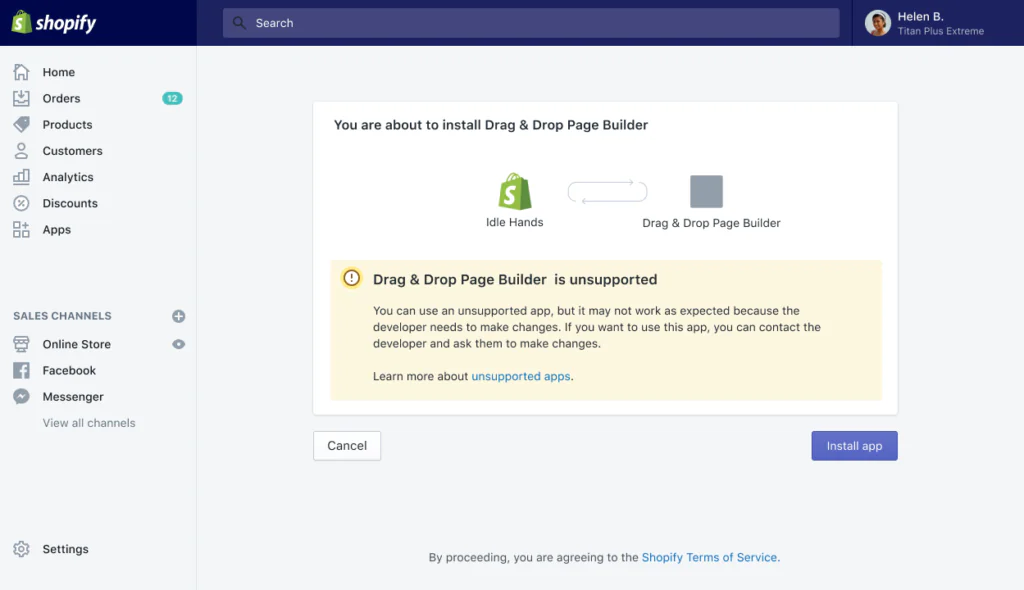
For Shopify stores, review checkout settings and supported customization options available under the current plan.
Also test the complete order process, including payment authorization, order confirmation, inventory updates and fulfilment notifications.
A checkout that looks correct is not necessarily a checkout that works correctly. End-to-end testing is essential.
5. Review Third-Party Apps and Integrations
Third-party applications can extend Shopify functionality, but excessive or poorly maintained app installations may create performance and operational problems.
Before BFCM, review the applications currently installed on your store.
Identify duplicated functionality, unused apps, outdated integrations and scripts that are no longer required.
For critical applications, verify that they work correctly with the current theme and other connected systems.
Pay particular attention to payment gateways, inventory and order management, shipping and fulfilment, ERP and CRM integrations, product reviews, loyalty tools, analytics and marketing automation.
Do not remove an application simply because it appears unnecessary. First confirm whether other workflows depend on it and whether removing it affects data synchronization.
ECOMMERCE GROWTH
Shopify for eCommerce in 2026: Why It Still Leads the Way
As the eCommerce landscape grows more competitive in 2026, the platform you choose can directly impact your ability to scale, convert, and stay ahead of customer expectations.
6. Prepare for Traffic, Orders and Operational Demand
A high-converting website must also support the business after a customer completes a purchase.
During BFCM, an increase in orders can put pressure on inventory accuracy, payment processing, fulfilment and customer support.
Review whether the current systems can handle the expected demand.
Check inventory synchronization, order routing, warehouse workflows, shipping rules and customer notification processes.
Confirm that promotional products have sufficient stock and that delivery estimates reflect realistic fulfilment capacity.
Prepare contingency procedures for payment failures, out-of-stock products, delayed shipments and customer support escalations.
Businesses should test their third-party integrations and order workflows before the event rather than waiting until traffic increases.
7. Protect SEO During a Shopify Rebuild or Migration
SEO should be included in the project scope from the beginning, particularly when a migration changes the website’s URL structure.
A rebuild may also affect SEO if the team changes page URLs, navigation, internal links, metadata or content.
Before making significant changes, document the existing website’s important URLs, organic traffic, search performance and indexation status.
For a migration, create a URL mapping plan that connects relevant old URLs to their new destinations.
Important SEO tasks include:
- Preserving relevant page titles and meta descriptions.
- Maintaining important content and heading structures.
- Mapping old URLs to relevant new URLs.
- Implementing appropriate 301 redirects.
- Reviewing canonical tags and structured data.
- Updating internal links.
- Checking robots directives and sitemap availability.
- Verifying the new website in Google Search Console.
- Monitoring crawl errors, indexation and organic traffic after launch.
Shopify automatically generates an XML sitemap at the root of the store’s domain. However, businesses still need to verify that the sitemap is accessible and that important pages can be crawled and indexed.
Search engines may take time to process a newly launched website. Therefore, a migration shortly before BFCM should not be expected to deliver immediate organic search recovery or growth.
A structured eCommerce SEO strategy can help businesses address technical SEO, content, keyword strategy and on-page optimization as part of the broader commerce experience.
SEO migration is not simply a matter of copying metadata. It requires preserving the relationship between the old website’s content, URLs and search visibility.
A Practical BFCM 2026 Preparation Roadmap
With only 16 days remaining before Black Friday 2026, businesses should focus on a controlled implementation plan rather than attempting to complete a major platform transformation.
The following roadmap is designed for stores that need to improve their existing Shopify experience or stabilize a migration that is already underway.
November 11-14: Audit and Prioritize
Start by identifying the most critical issues affecting the current store.
Review mobile performance, key landing pages, product discovery, checkout, payment methods, app dependencies and inventory workflows.
Separate findings into three groups: critical issues that may prevent customers from purchasing, high-impact improvements that can realistically be delivered before BFCM, and longer-term changes that should be scheduled after the sales period.
At the end of this phase, the team should have an agreed scope, implementation priorities and a clear list of changes that will not be introduced before launch.
November 15-20: Implement High-Impact Improvements
Focus development resources on the most important customer and operational issues.
This may include improving mobile layouts, optimizing high-traffic product pages, reducing unnecessary scripts, fixing navigation problems and resolving checkout errors.
For a migration already in progress, prioritize completing data validation and critical integration testing rather than introducing additional features.
Avoid unnecessary changes to the platform architecture or business workflows at this stage.
November 21-24: Test and Validate
Before the sales period begins, conduct end-to-end testing across desktop and mobile.
Test product browsing, search, filters, cart operations, discount codes, payment methods, shipping calculations, order confirmation and inventory updates.
For stores undergoing migration, also verify redirects, metadata, canonical tags, sitemap accessibility and analytics tracking.
Check that customer support and fulfilment teams understand the updated workflows.
Document unresolved issues and assign responsibility for handling them.
November 25-30: Monitor and Respond
During Black Friday and Cyber Monday, prioritize stability.
Monitor website performance, checkout errors, payment failures, inventory availability and order processing.
Avoid deploying non-essential changes during active promotional periods.
If an issue occurs, follow the agreed incident response process and prioritize restoring the customer purchase journey.
The goal is to protect sales operations while responding quickly to problems that affect customers.
After BFCM: Plan the Next Stage of Growth
Once the sales period ends, review performance against the business’s baseline.
Analyze conversion rate, revenue per session, average order value, checkout completion, product-page performance, traffic sources and customer support issues.
For businesses that postponed migration, this is the time to assess the existing platform more thoroughly and build a realistic roadmap for 2027.
A migration planned after peak season can be structured around proper data validation, integration testing, SEO preservation and operational readiness, rather than compressed into an unnecessarily short launch window.
Common Mistakes to Avoid Before BFCM
Even well-planned development projects can introduce risks when businesses prioritize speed over validation.
Several mistakes are particularly important to avoid before a major sales event.
- Treating a full migration as a quick redesign. A migration involves data, integrations, URLs and business workflows. It should be managed as a structured technical project, not simply a storefront refresh.
- Changing too many things at once. Major theme changes, new applications, checkout adjustments and integration updates can make it difficult to identify the cause of an issue. Prioritize changes with clear objectives and test them individually.
- Ignoring SEO during platform changes. Missing redirects, incorrect metadata and broken internal links can affect organic search visibility. SEO validation should be part of the launch process.
- Installing additional apps without reviewing their impact. New applications may introduce additional scripts, dependencies and potential conflicts. Only add functionality that has a clear business purpose.
- Launching without testing real transactions. A successful preview does not confirm that payment, discount, inventory and fulfilment workflows operate correctly. Place test orders and verify the complete process.
- Assuming a new design will automatically increase conversion. Conversion improvements depend on how effectively the new experience addresses customer needs. Measure performance before and after changes instead of relying on visual judgment.
Build a Shopify Store That Is Ready for More Than One Sales Season
The decision between rebuilding and migrating should be based on the business’s actual requirements, not the assumption that a new platform or a new design will automatically solve existing problems.
If your current Shopify store has the right technical foundation, a targeted rebuild may be the more efficient way to improve performance, product discovery and conversion.
If your existing platform limits your business’s operational or technical growth, migrating to Shopify may provide a better long-term foundation. However, the transition needs sufficient planning, data validation, integration testing and SEO protection.
For BFCM 2026, the immediate priority is clear: improve what can be improved safely, protect the customer purchase journey and avoid introducing unnecessary technical risk just before peak season.
At WGT Core, we help eCommerce businesses build, optimize and scale their commerce platforms through Shopify development, migration and replatforming, custom integrations and performance optimization.
Whether your business needs a focused Shopify store rebuild or a structured migration to Shopify, the objective should be the same: create a reliable commerce foundation that supports better customer experiences and measurable business growth.
Explore WGT Core’s Shopify development services to discover how the right technology approach can support your next stage of eCommerce growth.
A successful BFCM launch is not about changing everything before the deadline. It is about making the right improvements, validating them properly and ensuring your commerce platform is ready when customers arrive.
Conclusion
Whether you’re dealing with the limitations of an outdated platform or a sluggish Shopify setup, one thing is clear: BFCM 2025 waits for no one. The time to act is now. The sooner you begin the process to rebuild or migrate to Shopify, the more runway you’ll have to optimize, scale, and launch with confidence.
An investment in speed, UX, and technical SEO today will return real revenue when it matters most. Fast stores convert better, rank higher, and create loyal customers, especially during the year’s most competitive sales window.
ECOMMERCE GROWTH
Your eCommerce Platform Should Power Growth, Not Limit It.
Book your free audit with WGT and let’s make sure your Shopify store is not just ready for BFCM, but built to win it.